Run every client from one platform
Tickets, projects, client infrastructure, documentation, and time tracking in one place, with client portals that keep every customer informed. Built by a technology firm that runs its own client work on it every day.
AlignIT Pro wasn't designed in a software lab guessing at how MSPs work. Mr. IT & Associates built it to run our own managed IT and support practice, and every feature exists because we needed it.
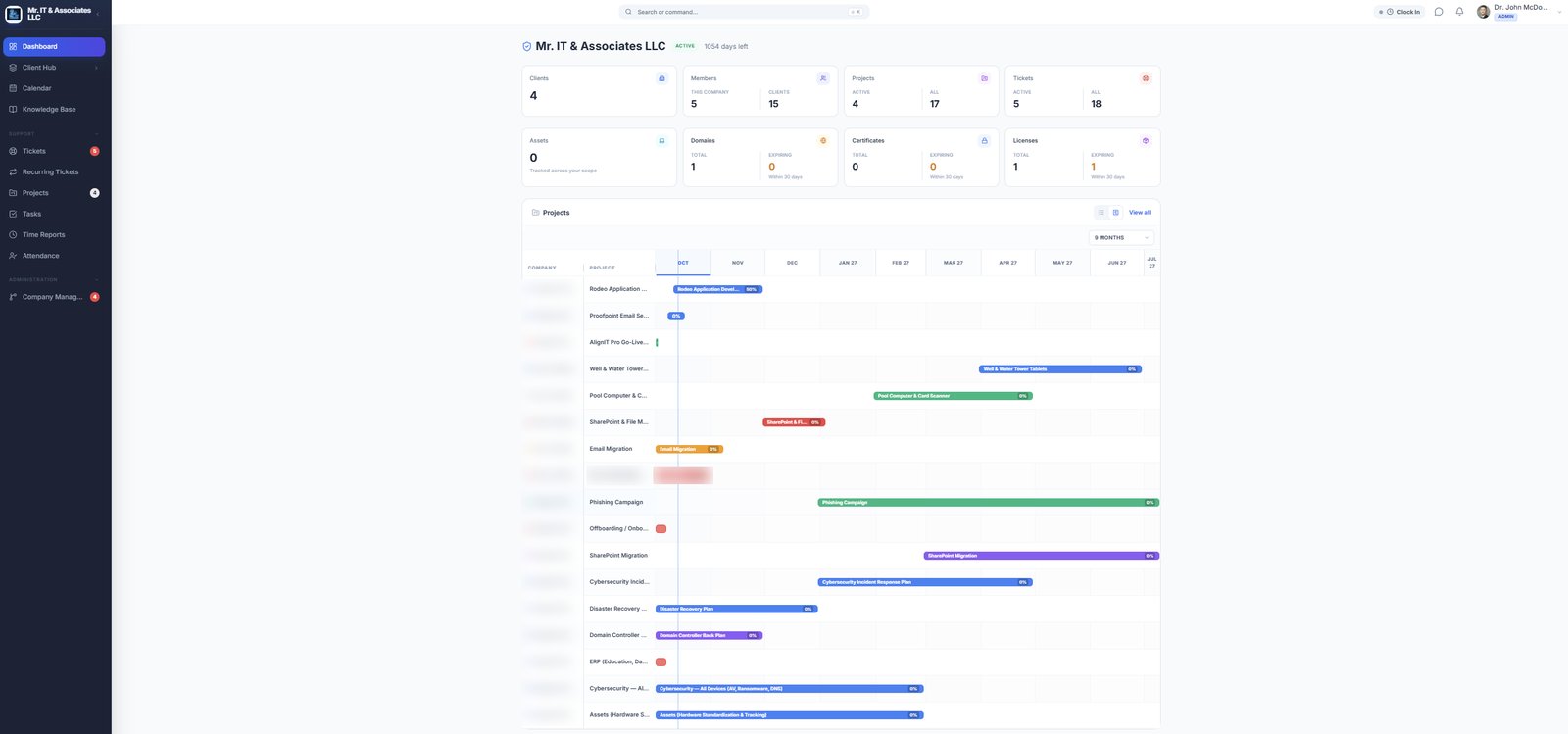
Your whole operation on one screen
Clients, members, projects, tickets, assets, domains, certificates, and licenses, with expirations flagged before they become emergencies.
Everything you need to run your MSP
From the first support ticket to enterprise-level project oversight, under one login, for every client.
Service Desk Management
Organize and resolve client support requests.
- Help desk tickets and recurring tickets
- Assignments, priorities, and statuses
- Tickets grouped by client and project
Project & Task Management
Plan and deliver client projects on schedule.
- List, Kanban, and Gantt views
- Tasks with owners, dates, and progress
- Timeline across every client
Client Infrastructure
Keep a complete record of every client environment.
- Assets and networks
- Credentials and certificates
- Domains, licenses, and services, with expiration tracking
Documentation & Knowledge
Make client information findable by the right people.
- Files and centralized documentation
- Knowledge base
- Access controlled by role
Workforce & Time
Know who's working and what that time produces.
- Attendance with clock-in and clock-out
- Time reports by project and ticket
- CSV export
Client Portal & Administration
Keep clients informed and your organization in control.
- Client-facing dashboards
- Role-based access
- Company and user management
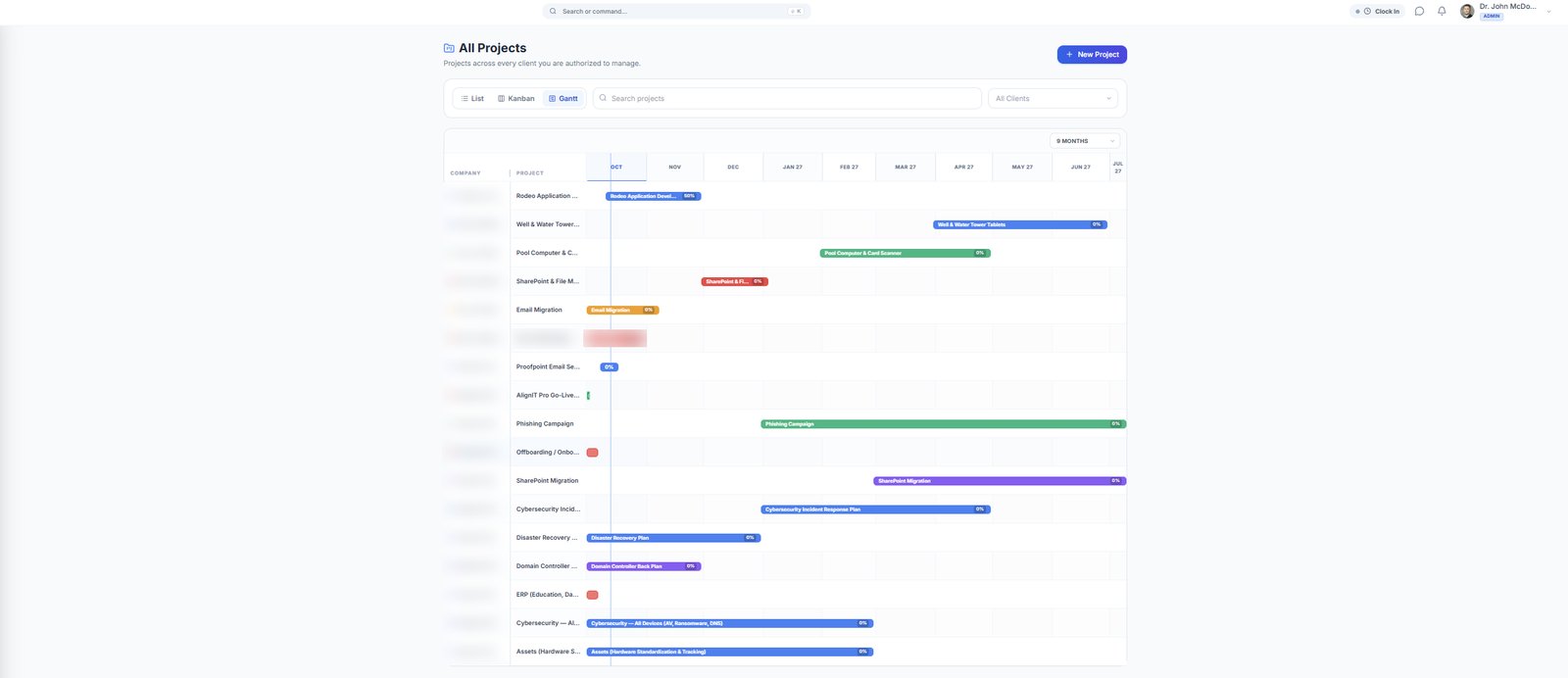
See every client project on one timeline
Switch between List, Kanban, and Gantt views. Filter by client, see progress at a glance, and spot overlapping work before it becomes a scheduling problem.
See what your team's time produces
Most platforms track time worked or time billed. AlignIT Pro tracks both. Attendance records when your team is on the clock, and time reports show where that time went: which client, which project, which ticket. Together they show the gap between hours worked and hours delivered, so you can spot unbilled work, improve utilization, and price your services with confidence.
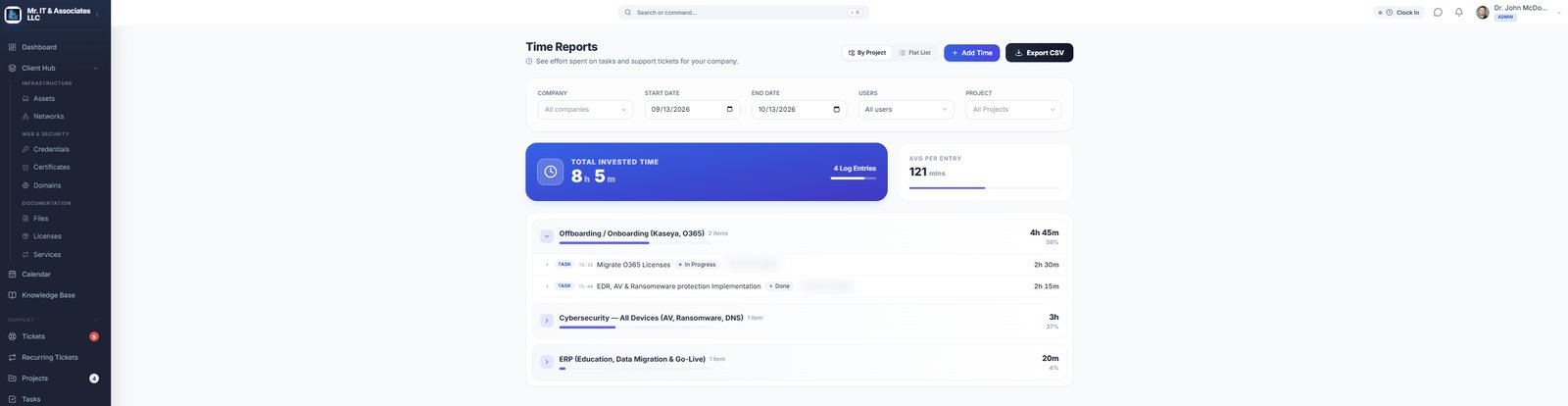
Not just who's working, but what that work is producing.
One platform. The right view for everyone.
Role-based permissions show each person exactly what they need.
- Assigned tickets and tasks in one queue
- Client credentials and documentation at hand
- Log time against the work itself
- Ticket status and priority across clients
- Project progress and timelines
- Team attendance and workload
- Every client on one dashboard
- Expiring licenses, domains, and certificates
- Hours worked against hours delivered
- Serve every department or subsidiary from one platform
- Show leadership where IT time goes
- Labels and visibility configured to fit your organization
- Their own tickets and project progress
- Operational dashboards
- Access matched to their role
Your clients are your clients
You trust AlignIT Pro with your client relationships, credentials, and infrastructure records. We built it to protect that trust.
Strict tenant isolation
Each MSP's data is fully separated. Mr. IT & Associates staff cannot view your clients, tickets, credentials, or documentation.
You own your data
Export it whenever you want, in standard formats.
Security-first design
Led by Dr. John McDowell, with 20 years of enterprise IT leadership and NIST- and HIPAA-informed practices built in.
Single sign-on and role-based permissions
Sign in with your existing identity provider, and control exactly who can see and change each client's information.
Our commitment: AlignIT Pro never accesses or uses tenant data for Mr. IT & Associates' managed services business.